
GPS Map Camera
GPS Map Camera : Geo Tagging
Description
GPS Map Camera: Geo Tagging
About this app
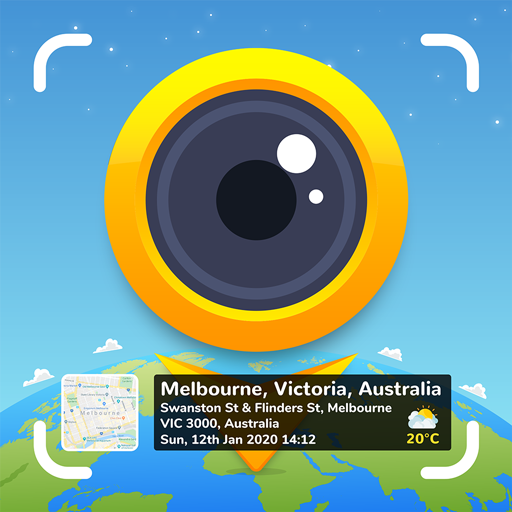
Looking for your travel memories or pictures of your visit to a particular place, with GPS map camera stamps application you can add datetime, live map, latitude, longitude, weather, magnetic field, compass & altitude to your camera photos.
Track live location along with your captured photos by GPS map camera: Geotag photos & add GPS location app. send geotagged location of street/place added photos to your family & friends, and let them know about your best earth travel memories.
How to add GPS map location on live photos?
✔ Install GPS map camera: geotag photos & add GPS location application in your smartphone
✔ Open camera & select advanced or classic templates, arrange formats of stamps, change settings according to your requirement of GPS photomaps location stamp
✔ Add geo location stamps automatically to your clicked pictures
Interesting features:
➤ Get custom GPS camera with Grid, Ratio, Front & selfie live camera, Flash, Focus, Mirror, Timer, dashcamera level, capture sound support, scenes & filters
➤ Set photo map data as automatic or manual
➤ QR code scanner for fast & easy to use scanning
➤ Classic template contains automatically fetched stamp details
➤ Advanced template contains:
1. Map options: Change photo map type from Normal, Satellite, Terrain, Hybrid options
2. Short Address: Auto add short location on photo
3. Address: Add your selected manual/automatic location picker on image
4. Lat/Long: Set GPS coordinates from DMS/decimal options for GPS stamp
5. Plus code: Accurate or concise code
6. Date & Time: Add date & timestamp from various formats as an image tag
7. Time zone: GMT, UTC timezones
8. Logo: Upload your brand logo
9. Note: Write relatable notes
10. Hashtags: add hashtags to photos with this GPS app
11. Weather: Either in fahrenheit or celsius, measure temperature units
12. Compass: Auto compass direction
13. Magnetic Field: Auto magnetic field camera
14. Wind: Measure Wind speed
15. Humidity: Auto Humidity measurement
16. Pressure: Measure pressure of the place
17. Altitude: It will automatically calculate altitude
18. Accuracy: Get auto accuracy on image
Why have this handy best GPS camera app in your smartphone?
➝ To get satellite map stamp on photos while clicking
➝ For putting GPS maps location stamp on photos
➝ Get focused clicks with geotags stamp & date stamp
➝ Find photo locations stamp with geotagged camera at one place with this coordinate gps location tracker app
➝ To add date time stamp, which performs as both timestamper & date stamper
➝ Use as a date and time camera app to add date to your photos
➝ Works as GPS solocator & GPS note camera to stamp GPS details on photo
➝ Put Longitude, Latitude, Address, Date-Time, Location stamp to photos
➝ Utilize this quick & secure camera as GPS tracker on Photos
➝ To Get location image stamp with simple camera GPS
→ To get GPS stamp that have camera360 information of the place
→ Manually add GPS area in stamp to change location address
→ Work as a night hd camera+ to get clear pics
Most efficient app for following groups of people:
➥ Travelers & explorers can effectively utilize geo-tagging camera app
➥ People associated with business related to real estate, infrastructure, architecture can easily apply GPS map location stamp to their site photos
➥ Individuals having destination celebrations of events can have their current GPS location stamp on the picture & use the app as a moment camera
➥ Anyone who wants to add GPS data on their field photos as a GPS notecam can use the app.
➥ Persons having outstation meetings, conferences, conclaves, meetups, events arranged by companies or institutions solving and serving a particular purpose
➥ Travel, food, fashion & art bloggers can advance their experiences by adding GPS location through GPS map cam
To experiment with such interesting features, MUST download GPS map camera: geotag photos & add GPS location app right now.
Share your best experiences with us through rate & review.